



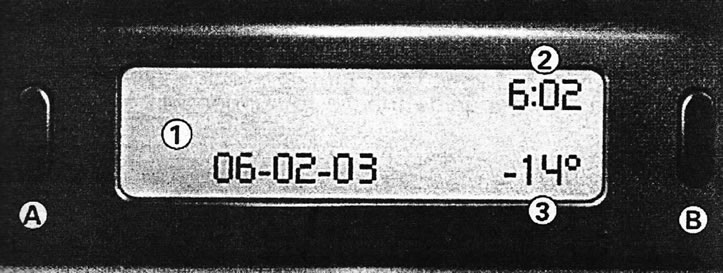
A - switch button; B - button for changing parameters
The following information can be displayed:
- time [2];
- date[1];
- ambient air temperature [3] (if there is a risk of ice, the°C symbol flashes);
Adjusting parameters
Hold down button A for two seconds. Then each press of button A will call up the following parameters for adjustment:
- language of information messages;
- units of speed measurement (km/h or mph);
- units of temperature measurement (degrees Celsius or Fahrenheit);
- time format (12-hour mode, then 24-hour mode);
- hour;
- minute;
- year;
- month;
- number.
A short press on button B allows you to change the selected parameter. If you press and hold it, the parameter will change quickly. If no action is taken within ten seconds, the display will return to normal mode, saving all new settings.