



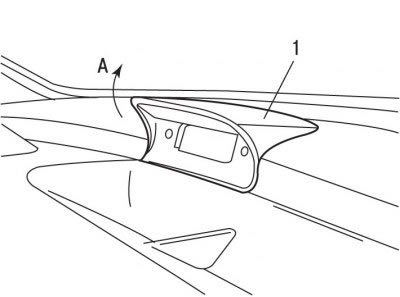
Figure 9.31. Direction (A) for removing the main multifunctional display (1)
- release the main multifunction display 1 from its clips (figure 9.31), turning its front part upwards;
- disconnect the electrical connector from the main multifunction display;
- disconnect the wiring harness retainer;
- remove the main multifunction display from the instrument panel.
Installation is carried out in the reverse order of removal, taking into account the following:
- connect the ground wire to the battery;
- check the functionality of the main multifunction display;
- initiate all electronic systems.